Selecting the correct certificate for VPN
(the following example pictures are only available in german at the moment)
- Open the “Cisco AnyConnect Secure Mobility Client”
- Click on „Connect“

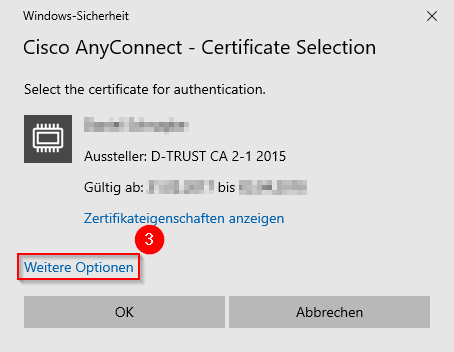
- And then on „More Options"
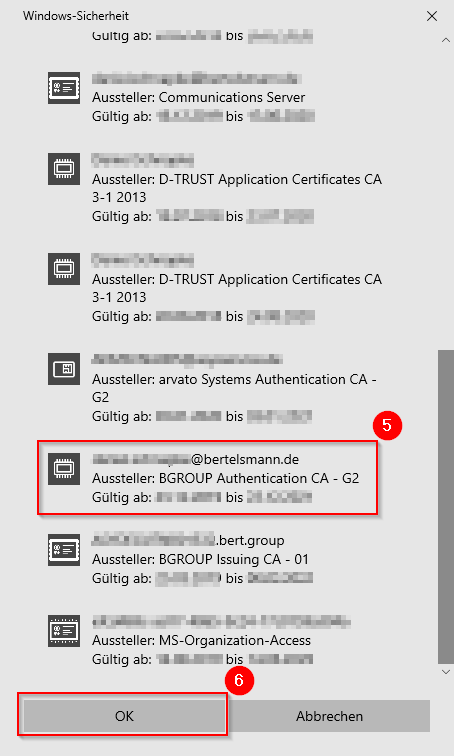
- Scroll down to the certificate,
- that is issued to your email address and originates from the "Issuer: BGROUP Authentication CA - G2"
- Optional: issued to ADMuserid@asysservice.de and originating from the "Issuer: arvato Systems Authentication CA - G2"
- Left-click on this certificate to select it.
- Click OK
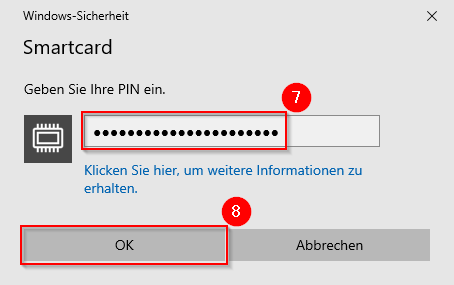
- If you are asked for your PIN, enter the PIN of your virtual smartcard.
- Click OK